
Practical workflow guides
How to get an AI assistant that knows your business
Can you train ChatGPT on your documents or put a chatbot on your website? A private assistant for your team, and one that gives clients approved answers.
An AI chat assistant can do two jobs. For your team, it's a private assistant that answers from your own documents and drafts work for a person to approve. For clients, it answers on your website or portal.
A person approves everything the AI drafts. The one exception is a message you write and approve once, like the first reply to a new lead. On your website, it sends only answers your team approved, word for word.
It says it's an AI, and it hands anything else to a person with the conversation so far.
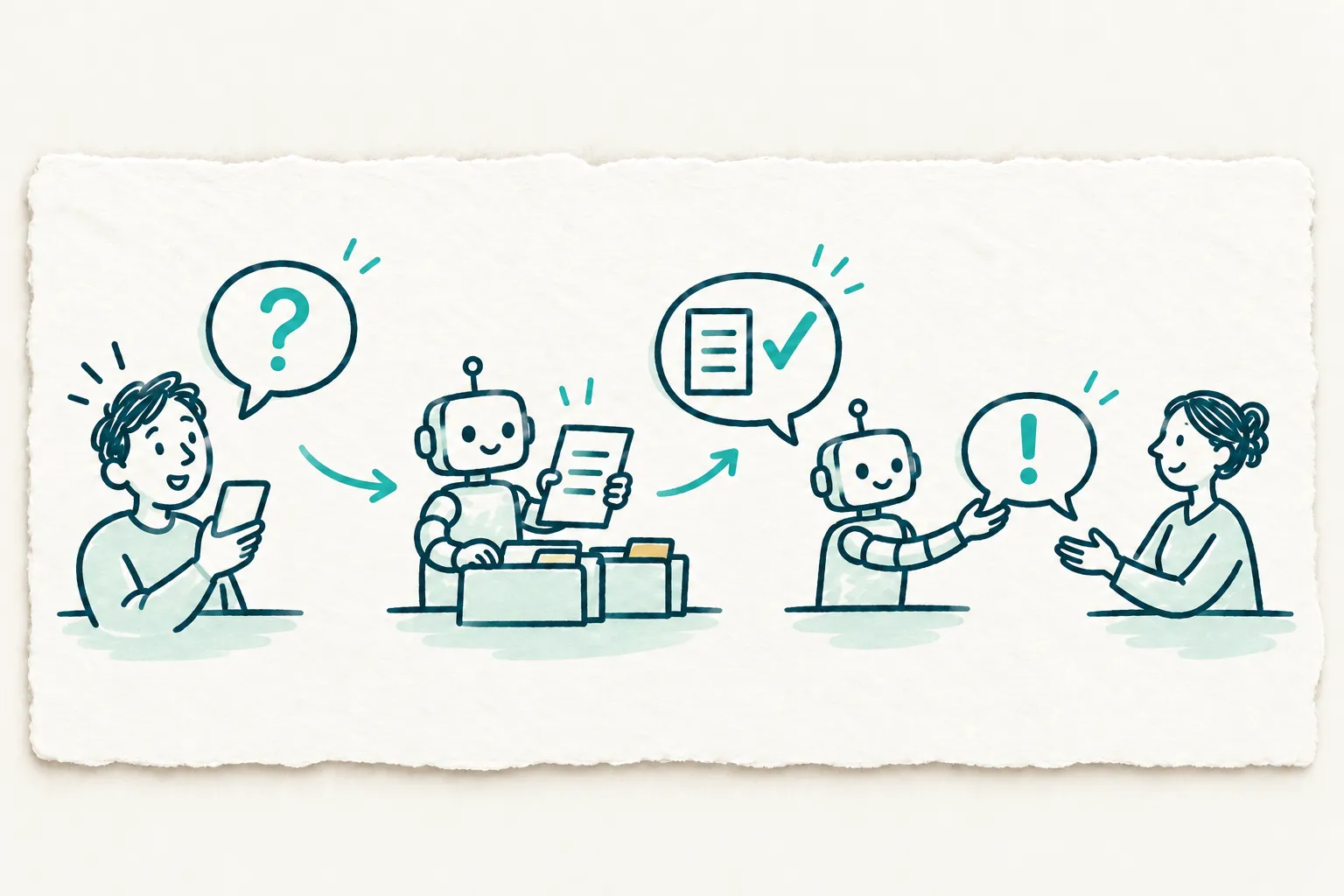
How the workflow can work
- Your documents go in
We load the documents and rules you choose, like your price list, policies and how-to guides. Each assistant reads only those.
- Your team asks the private assistant
Staff ask questions and get answers from your documents, with the source named. It drafts emails and replies for a person to approve.
- Clients get approved answers
On your website or portal, it says it's an AI. It replies only with answers your team approved, word for word.
- Everything else goes to a person
If no approved answer fits, it hands the client to a person, with the conversation so far. New answers get approved before it uses them.
Questions to answer before implementation
Who will use the assistant, and where will they find it?
Should it stay inside your team, or answer clients too?
What are the 20 questions clients ask most?
Which documents do you re-send or re-explain every week?
What must it never do, and how does a person take over?
Who approves answers that touch legal, privacy or money?
How will you know it's working?
What's the most repetitive writing your business does?
What to define in the implementation scope
A private assistant that answers your team from your own documents
Drafts of emails and replies, waiting for a person's approval
A website or portal assistant that says it's an AI and sends only approved answers
Every other question handed to a person, with the conversation so far
The questions your team answers by hand, counted against where you started in the Diagnostic
These are proposed workflow outputs, not a promise of results or a fixed monthly deliverable.
Map the work before implementing it.
The free Snapshot helps choose one workflow. The paid Diagnostic documents the current process, baseline, ownership, decisions and proposed scope. Nothing is built during the Diagnostic. Implementation requires a separate written scope.
AI Operations Snapshot: Free. AI Operations Diagnostic: $1,000 once for 1 week, documents only; no implementation is included. Partnership Tiers: Direct Advisory at $2,500/month with 4 engineering hours a month; Strategic Partner at $4,500/month with 8 engineering hours a month; Fractional Product Lead at $7,500/month with 15 engineering hours a month. Each tier has a 3-month commitment and no onboarding fee. Sprint Add-Ons cost extra and require an active Partnership Tier.
It renews for another 3 months at the same price unless you give 30 days' notice before it ends. Renewal reminders and written notice follow the agreement. Licenses, hosting and AI usage are billed separately by the relevant vendors.
Questions owners ask first
- Can I train ChatGPT on my own business documents?
Not by retraining it. You give an assistant your instructions and a chosen set of documents, and it answers from those. Pick the documents with care and keep them current. A person checks what it drafts.
- Can I put a chatbot on my website that answers from my documents?
Yes, but as of October 2026 not with a custom GPT, which OpenAI says isn't made for other websites. Ours replies only with answers your team approved, word for word. Anything else goes to a person.
- Should I use a custom GPT, a Claude Project, a Gemini Gem or a Copilot agent?
Pick the one that fits your team's tools. As of October 2026, OpenAI plans to retire custom GPTs on December 11, and Google is replacing Gems with Skills. Names change, so we build on your own documents and rules.
- Is it safe to upload confidential documents to ChatGPT?
Use approved business tools with the access, retention and model-training settings checked for your engagement. Give each assistant only the records its job needs. A person reviews every generated output before it leaves the review queue.
- How do I stop the AI from making things up?
You can reduce it, not stop it. Let it say it doesn't know, and have it answer only from your documents. A 2024 small-claims ruling, Moffatt v. Air Canada, held the airline liable for its chatbot's answer.
- Can an AI assistant manage my email and calendar?
Yes, with you in charge. It drafts replies and suggests meeting times, and a person approves each send. In 2025, researchers hid instructions in a calendar invite to make Gemini delete events, so deleting needs your OK too.