


See it before you talk to anyone
Watch it actually run.
A 12-minute unedited walkthrough: a lead arrives, gets triaged, scheduled, worked, invoiced, and paid — with the owner watching it happen from their dashboard. No slides, no staged demo. There's also a calculator that adds up what you're paying for the tools it replaces.
What it looks like
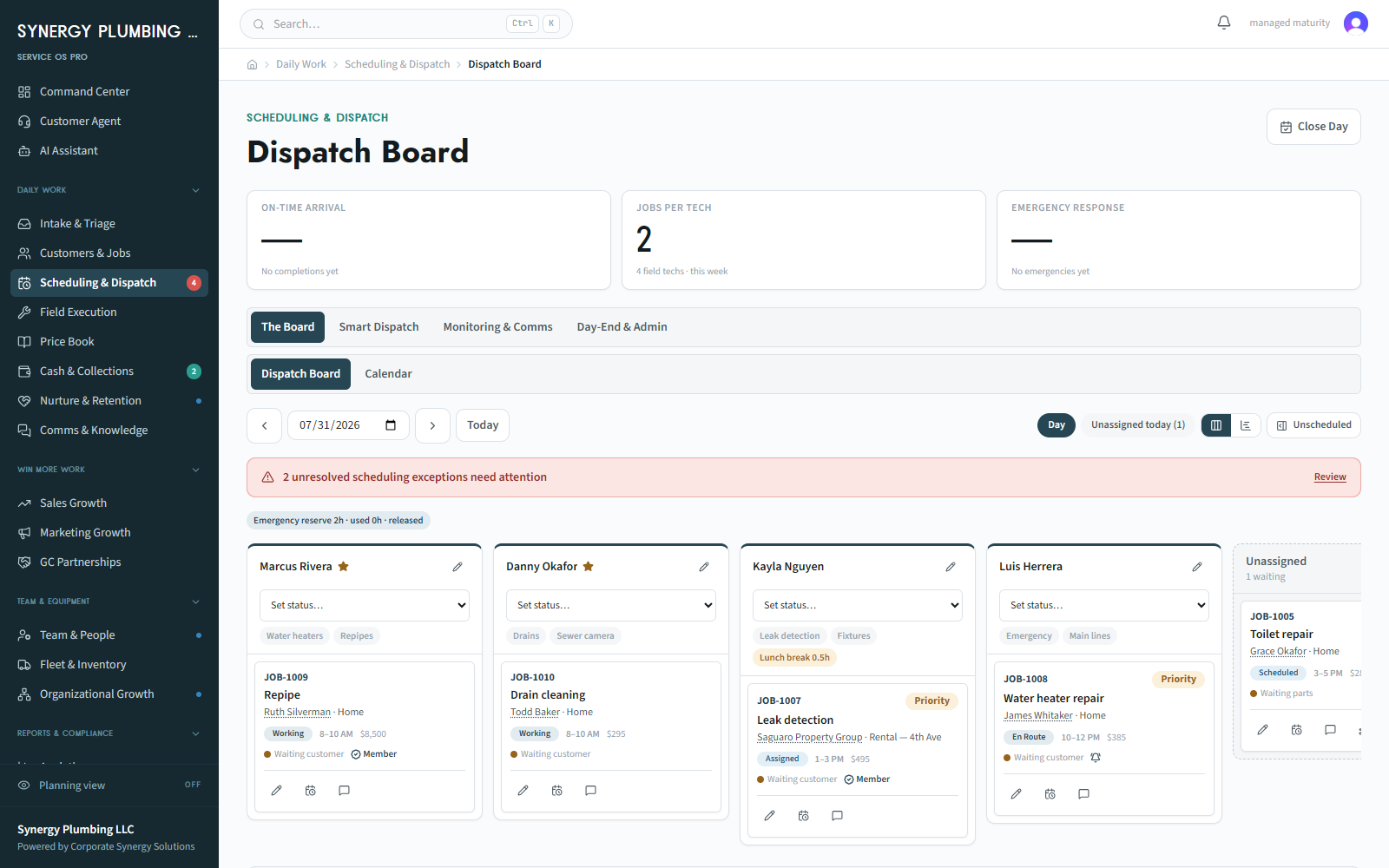
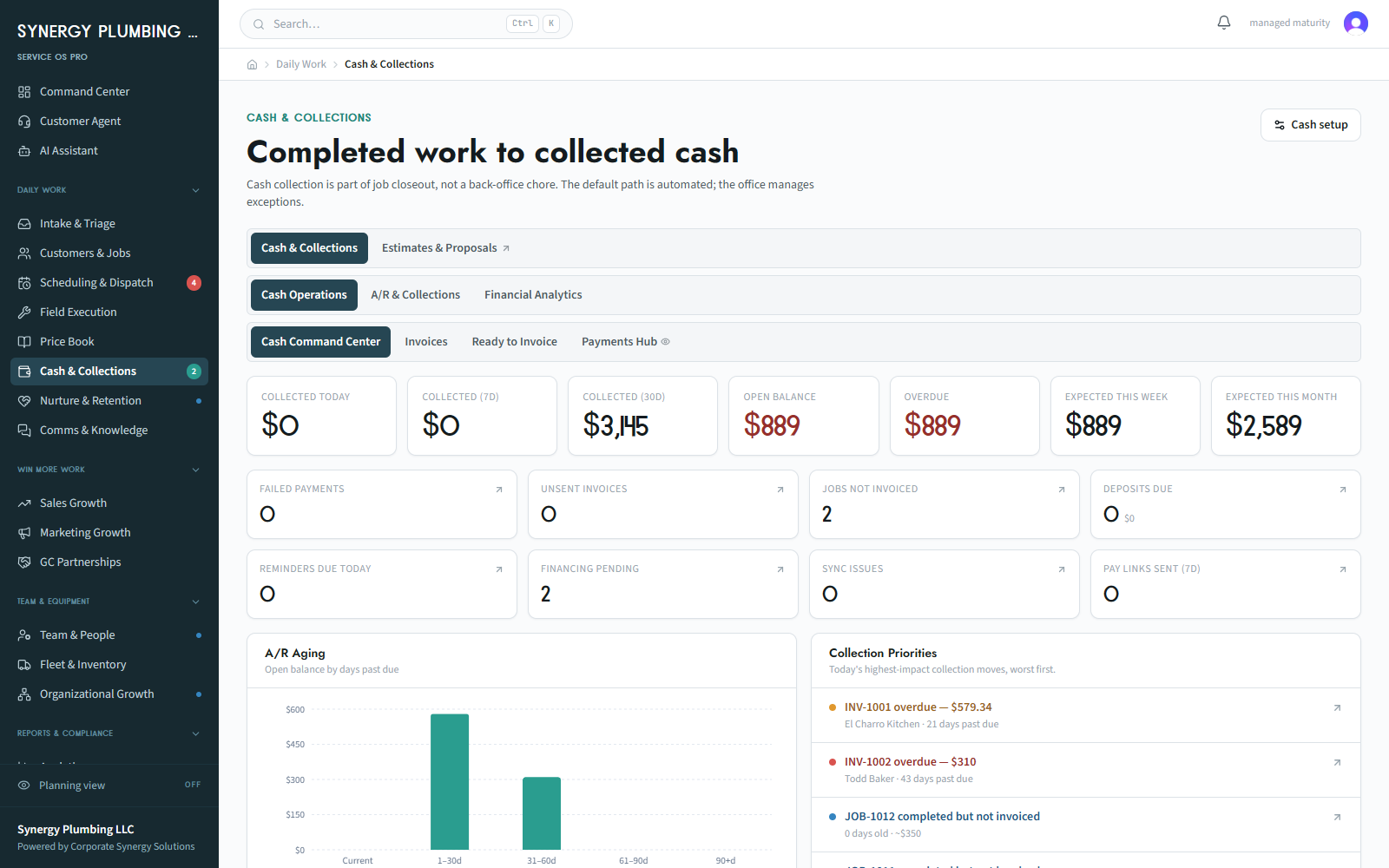
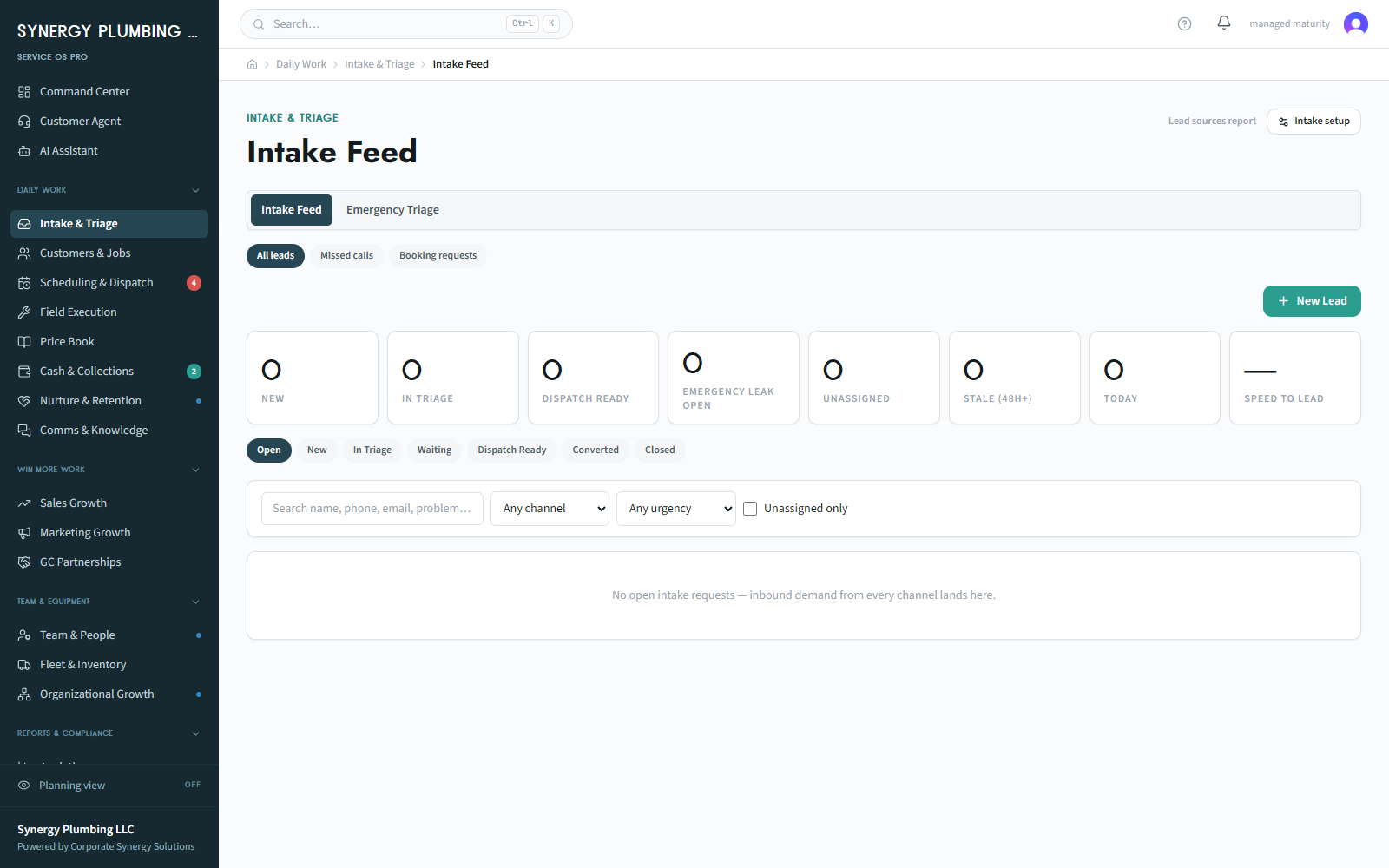
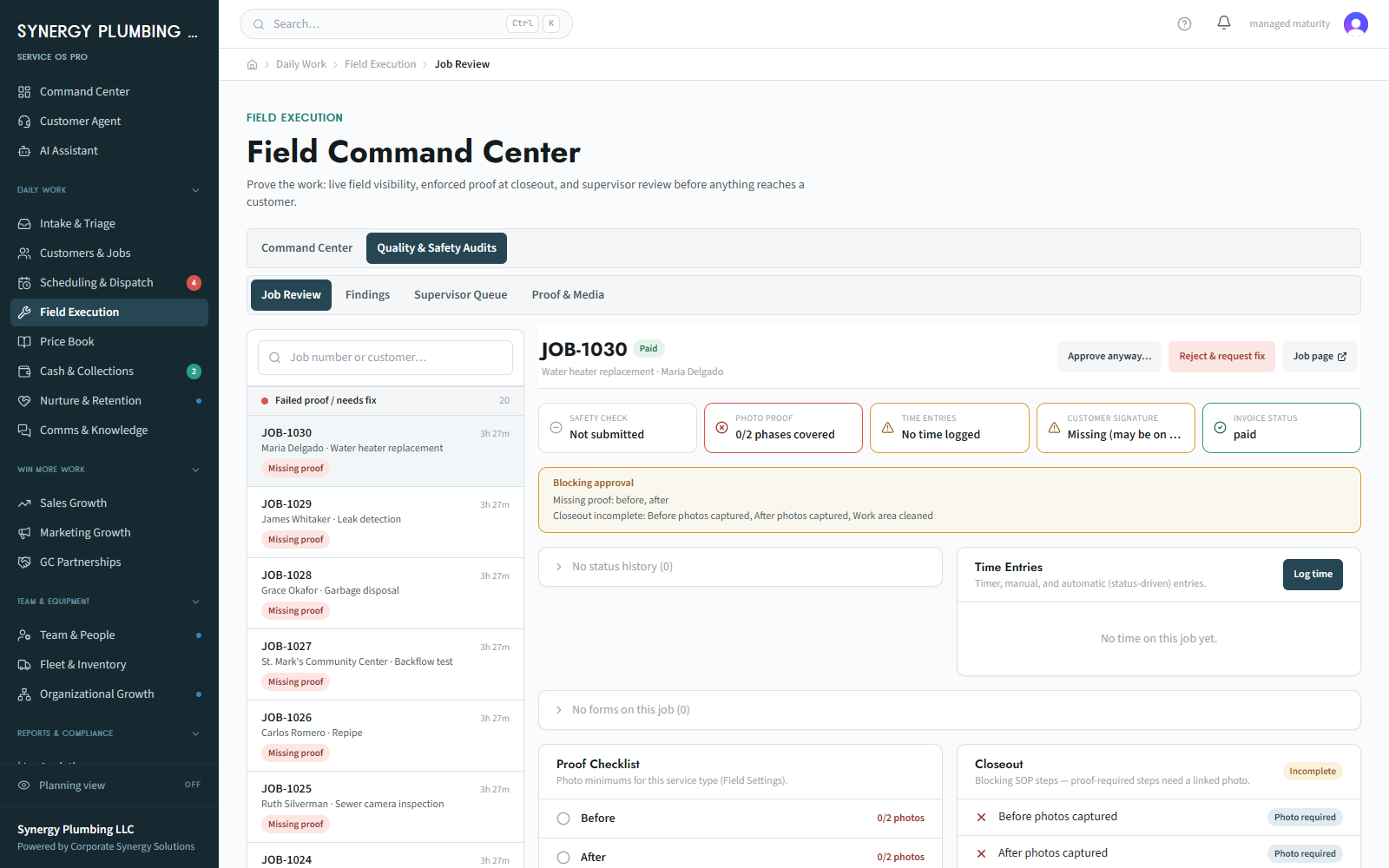
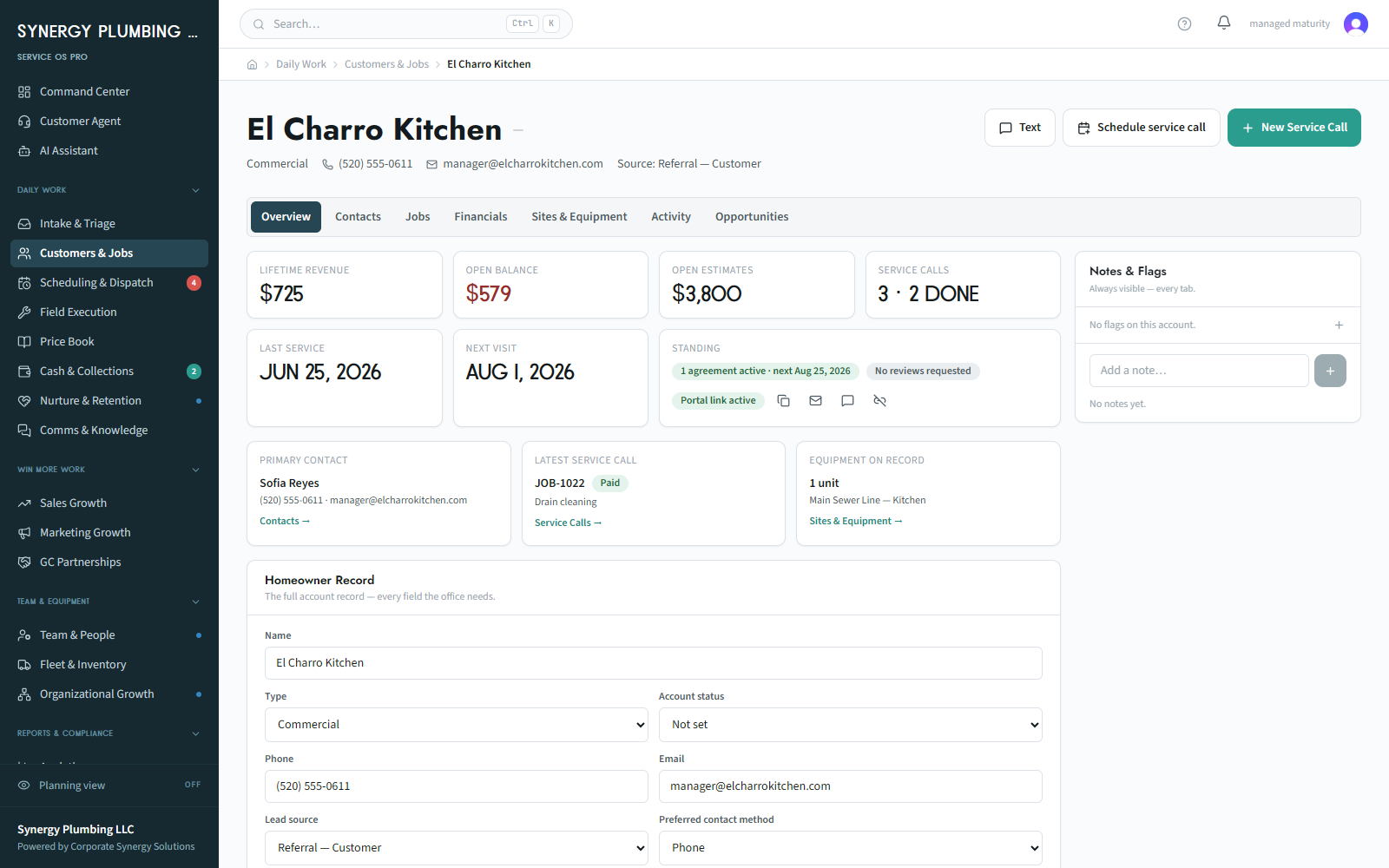
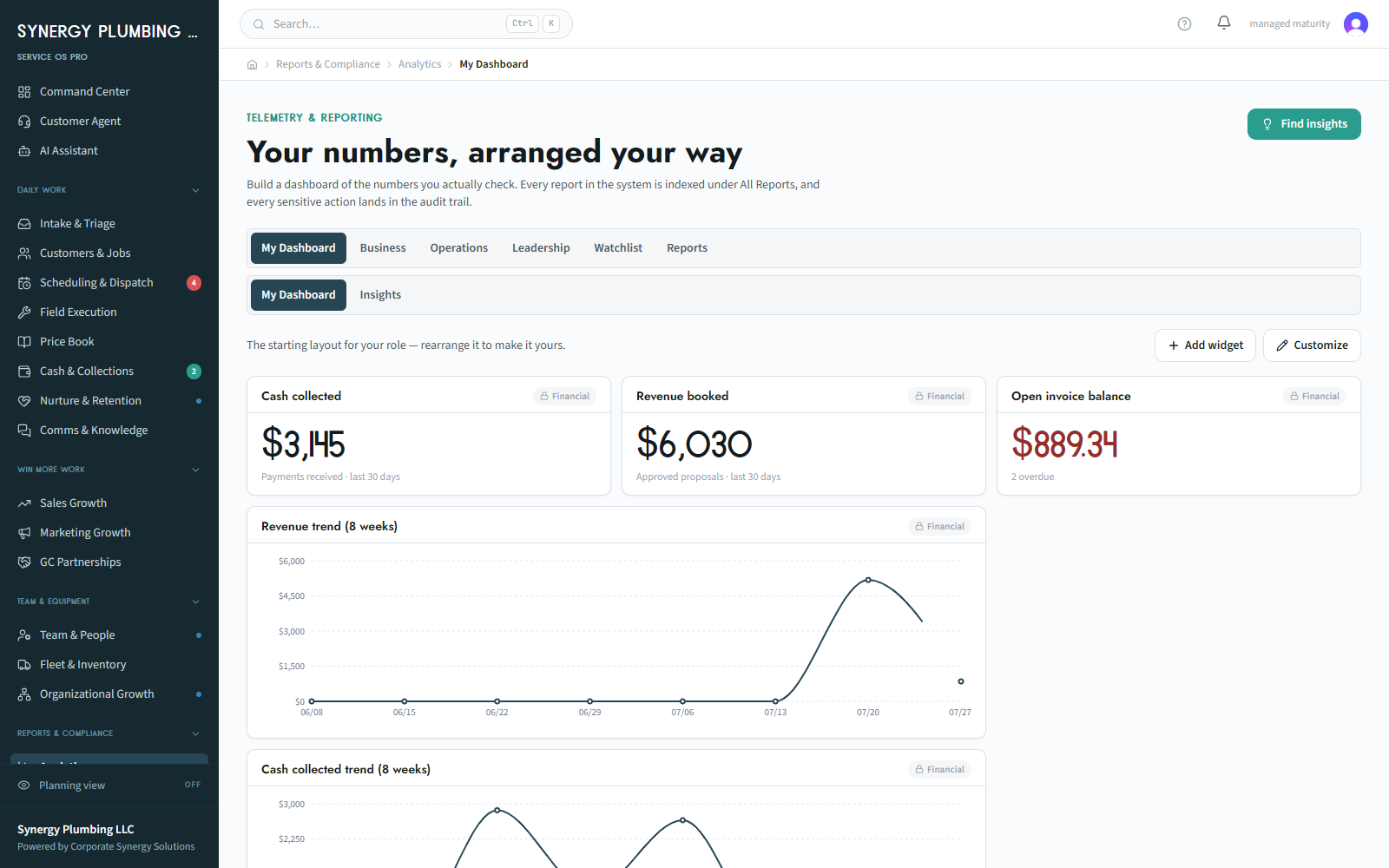
This is the actual software.
Not mockups and not a concept deck — screenshots of the running system with a real workspace's data in it.
What it is
A finished product, set up around your shop.
Generic software is built for the average business, so you end up adapting to it — paying per seat forever, using half the features, and still running the real business over text messages and spreadsheets. Service OS Pro starts from a finished operating system and configures it around your trade, your roles, your SOPs, and the way jobs actually move through your shop.
Every one of the 12 capabilities is switched on, simplified, or left dormant to match how you run today — so your team is never drowning in features they don't use yet, and the system grows as the business does.
It doesn't replace what already works. QuickBooks stays your books and your accountant's world, with invoices and payments syncing across. Stripe keeps processing cards at your own rates. Your business line stays your business line.
What you get
What changes in week one.
Dispatch
A whiteboard and a group text become a board, a timeline, and drag-to-assign — with capacity, live location, and certification holds.
Follow-up
"Somebody was supposed to call them back" becomes a speed-to-lead clock and automatic assignment the moment a lead lands.
Closing a job
Gatekeeper Logic: the job can't advance until the required steps, proof photos, and SOP checklist are actually done.
Getting paid
A ready-to-invoice queue, online payment, and an A/R workbench that schedules and sends its own reminders.
Knowing where you stand
Live KPI scorecards and a dashboard configured per role — instead of a feeling plus last month's bank balance.
The busywork
An automation builder in plain language: when a call is missed, if it's an Angi lead, then text back and assign it.
How it works
From first call to go-live.
A short conversation about your trade, crew, tools, and where the day breaks down — enough to know whether this is a fit before anyone spends money.
$3,500. A working session that produces your Build Document: workflows, SOPs, KPIs, the roles who own what, and which ownership path you're taking.
Your trades, goals, users, integrations, price book, intake, revenue indicators, and settings — built to the Build Document, not to guesswork.
Capability by capability, at the pace your team can absorb — with us alongside, typically 2–3 weeks from workshop to running.
Stay fully managed and walk away whenever you want, or finish the 12 payments and the software is yours.
Who it's for
Who this is for.
Who it isn't for — yet.
The investment
Honest numbers, up front.
Where both paths start. Produces your Build Document — workflows, SOPs, KPIs, and the ownership decision.
We carry the system, the hosting, and the AI costs. Keep the cash in the truck, and walk away whenever you want.
$30,000 total, financing available. After the twelfth payment the software is yours — an asset on the books, not a bill.
Every number is confirmed in writing before anything begins — no per-seat creep, no surprise line items.
Compare both paths in detailStraight answers
The questions owners actually ask.
What do I walk away with from the workshop?
A Build Document: your workflows written down, the SOPs and KPIs that matter, who owns what, and the ownership path you've chosen. It's the spec your build is held to — and it's yours regardless of what you decide next.
What does "own it" actually mean?
On the Pay to Own path, after the twelfth payment the software is yours — an asset on your books rather than a bill that renews forever. On Fully Managed you rent it monthly, we carry the hosting and AI costs, and you can walk away whenever you want.
Do I have to leave QuickBooks?
No. QuickBooks stays your books and your accountant's world — invoices and payments sync across. Stripe keeps processing your cards at your own rates, and your business phone number stays yours for calls and texts.
What about the data in my current software?
We migrate it. There are direct connectors for QuickBooks and Housecall Pro, and a structured import for everything else — customers, jobs, invoices, price book, and your team — reviewed against your live data before anything is written.
How long until my crew is actually using it?
Most shops go live 2–3 weeks after the workshop, and capabilities turn on in sequence rather than all at once — intake first, then dispatch, then the rest — so nobody is handed twelve new things on a Monday.
How is this different from a custom build?
Service OS Pro is a finished product configured to your shop, which is why it's weeks and not months. If you're not in the trades, or you need something genuinely bespoke, that's our Custom Build plan instead.
Let's talk
Tell us about your shop.
Five quick fields. Anthony follows up personally within 24 hours.
Your details stay private. No spam — just a real follow-up within 24 hours.
Not quite your lane?
Client work
Case studies
These describe real client engagements and programs. They are descriptions of scope, not outcome claims — no result is implied beyond the work named.
JnK Electrical
An electrical contractor running intake, dispatch, field work, and invoicing through Service OS Pro — one operating system in place of the whiteboard, the group text, and the owner's memory.
Black Pearl Painters
A painting company bringing scheduling, job records, field proof, and invoicing into one configured system, set up around how the crew already runs its day.
Workflow library
See the workday, not a feature list.
Follow a call, a conflict, a blocked closeout, or a Monday review through the people who own the next action. Product captures use illustrative demo data.