
A job is not complete because someone tapped a button.
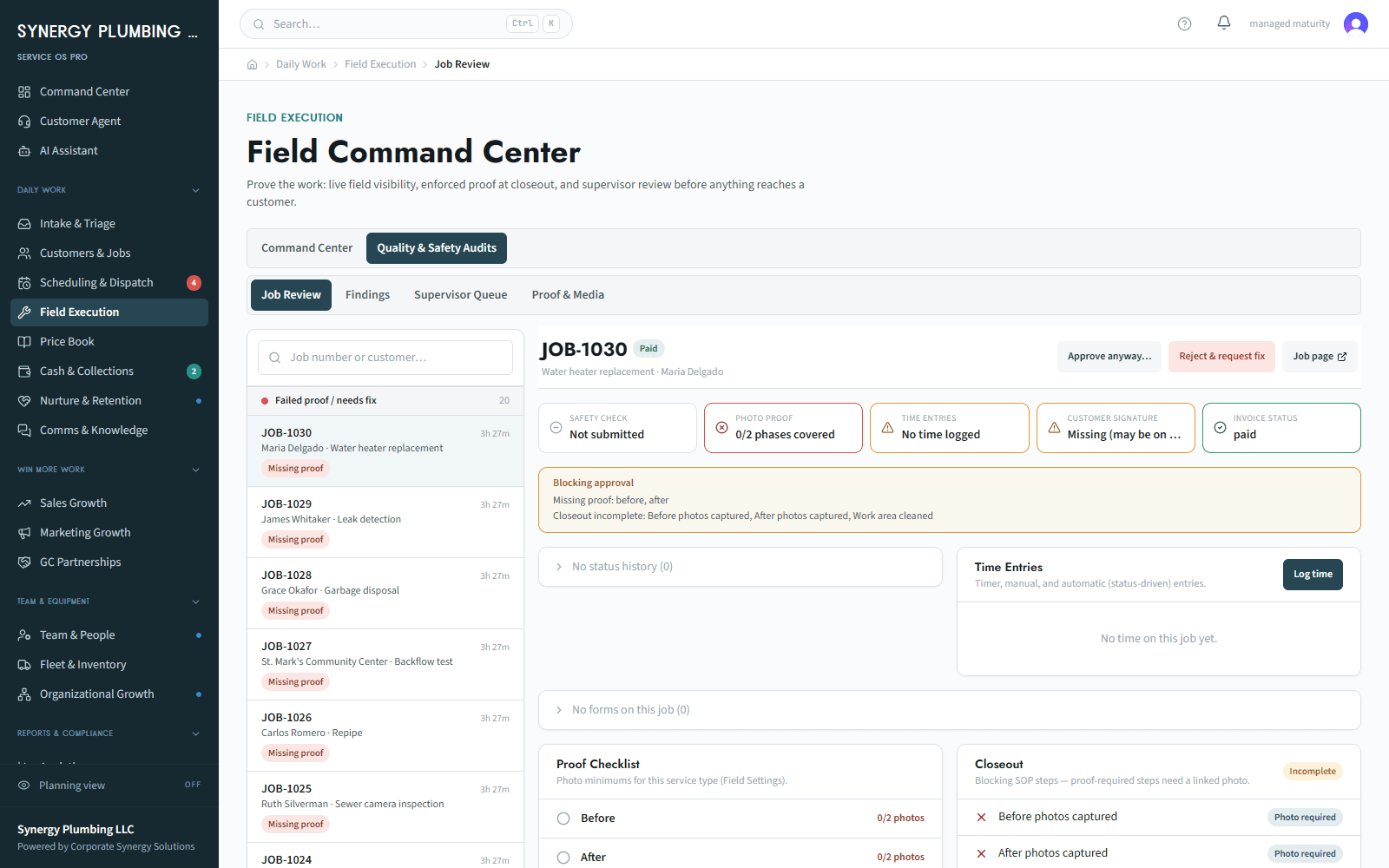
Show the moment a technician tries to close a job without configured proof, sees exactly what is missing, cures the record, and gives the office a reviewable billing handoff.
Technician and office manager · plumbing or electrical · completed work cannot be billed because proof is missing
What happens today
Today the office calls the technician for photos, signatures, time, or checklist items after the customer has left.
Why it matters
The risk is a false completion, a delayed invoice, a weak job record, and a repeat chase between field and office.
Where this starts
A job type has configured checklist and proof requirements, and a technician has completed some — but not all — of the required work.
The workflow
- 1The technician opens the job packet and sees which checklist, photo, time, and signature items are required for this work type.
- 2The technician deliberately attempts closeout with a missing item; the system keeps the job open and names the deficiency.
- 3The office opens the same job and sees a missing-proof state instead of a falsely completed item.
- 4The technician adds the configured evidence and time; if core work happened offline, the device shows pending sync rather than an invented success state.
- 5After the gate passes, the job enters Ready-to-Invoice for office review rather than sending a bill automatically.
Where a person decides
The business sets proportional proof rules. A person chooses an exception where one is allowed; an app does not create consent or a dispute conclusion.
If it does not go to plan
If a signature is unavailable, a photo lacks location, or a sync conflicts, the job stays open or follows the configured exception path. The record says unverified rather than guessing.
Where this ends
The job has a complete, reviewable closeout record, or a visible exception with an owner.
What you can see
Technician packet, blocked closeout state, evidence capture, pending-sync state, and the Ready-to-Invoice queue — all CSS-owned and seeded.
Why that is useful
The office can see what remains before billing, and the technician sees the standard at the point of work.
What this does not claim. Photos are evidence, not a dispute guarantee. No payment or message success is claimed while offline, and not every job type has to use the same gate.
Workflow reviewed 2026-08-13