
It is 5:10 PM. A customer needs help. Who owns the next move?
An after-hours request should not become a voicemail, a text thread, and a Monday mystery. Follow one request through human triage, qualified dispatch, field proof, invoice review, and the next owner review.
Owner or office manager at a plumbing or HVAC shop · 5:10 PM after-hours emergency · owner-routed operation
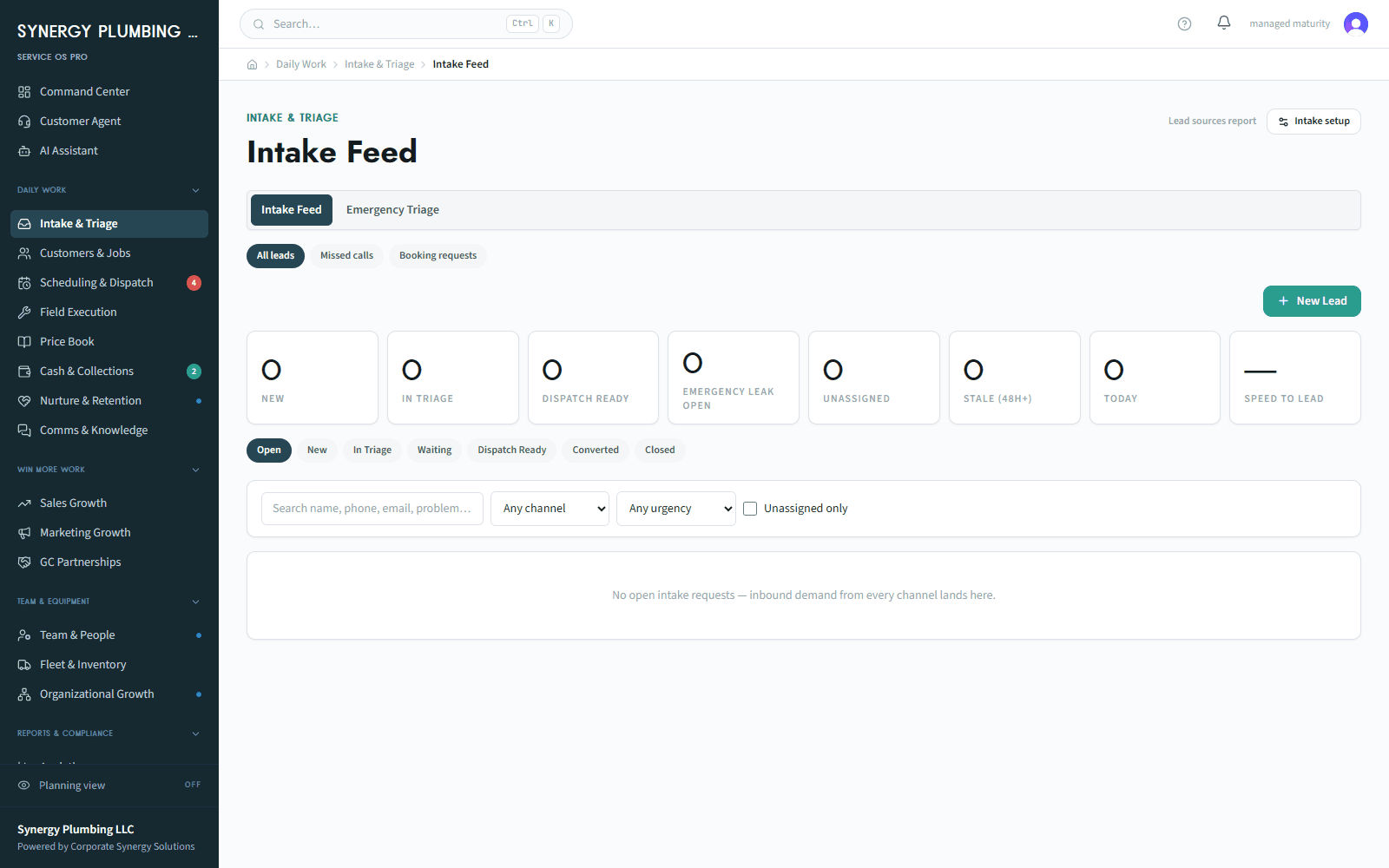
What happens today
The office closes, the request arrives, and the owner becomes the routing system. Availability is checked from memory, the technician lacks context, and the invoice waits for proof.
Why it matters
The risk is an ownerless call, a promise the schedule cannot support, missing closeout evidence, and a Monday review based on reconstruction rather than records.
Where this starts
A customer reports an urgent plumbing or HVAC issue; the business has its own emergency policy, a defined service area, and an eligible technician or on-call path.
The workflow
- 1An office or on-call role opens one visible request with arrival time, contact preference, service-area context, and a blank next action.
- 2A person applies the business's emergency rule; AI may prepare a summary, but a person decides urgency and approves any customer-facing draft.
- 3The dispatcher checks qualified capacity and assigns an eligible technician or records an owned on-call exception.
- 4The technician opens a permitted job packet, completes configured checklist and proof, and the closeout gate keeps missing evidence visible.
- 5The office reviews the invoice and payment and accounting status; Monday's owner review drills back to the original request and assigns any remaining action.
Where a person decides
A person decides urgency, approves customer communication, selects the assignment, and reviews billing. AI drafts; humans approve.
If it does not go to plan
If no qualified technician is available, the item remains an owned on-call or capacity exception. Nothing forces an appointment or implies an automatic emergency response.
Where this ends
The request is assigned and reviewable with proof and invoice status, or it is a visible exception with a named next action.
What you can see
A CSS-owned Service OS capture: intake queue, approval state, assignment board, closeout gate, Ready-to-Invoice, and Owner's Desk. All data is seeded and sanitized, and labelled illustrative demo data.
Why that is useful
The next person can see what happened, who owns it, and what is still unresolved without calling the owner for the story.
What this does not claim. No booking, payment, review, response time, or customer outcome is guaranteed. Service OS Pro does not replace the business's emergency policy, its accounting system, its payment processor, or its phone number.
Workflow reviewed 2026-08-13